🪄 How to Generate & Submit a Spark Ad Code
Here’s how to generate your Spark Ad code and connect it to your Statusphere account.
🎵 For TikTok Posts
Open TikTok and go to your posted video.
Tap the three dots (•••) → select Ad settings.
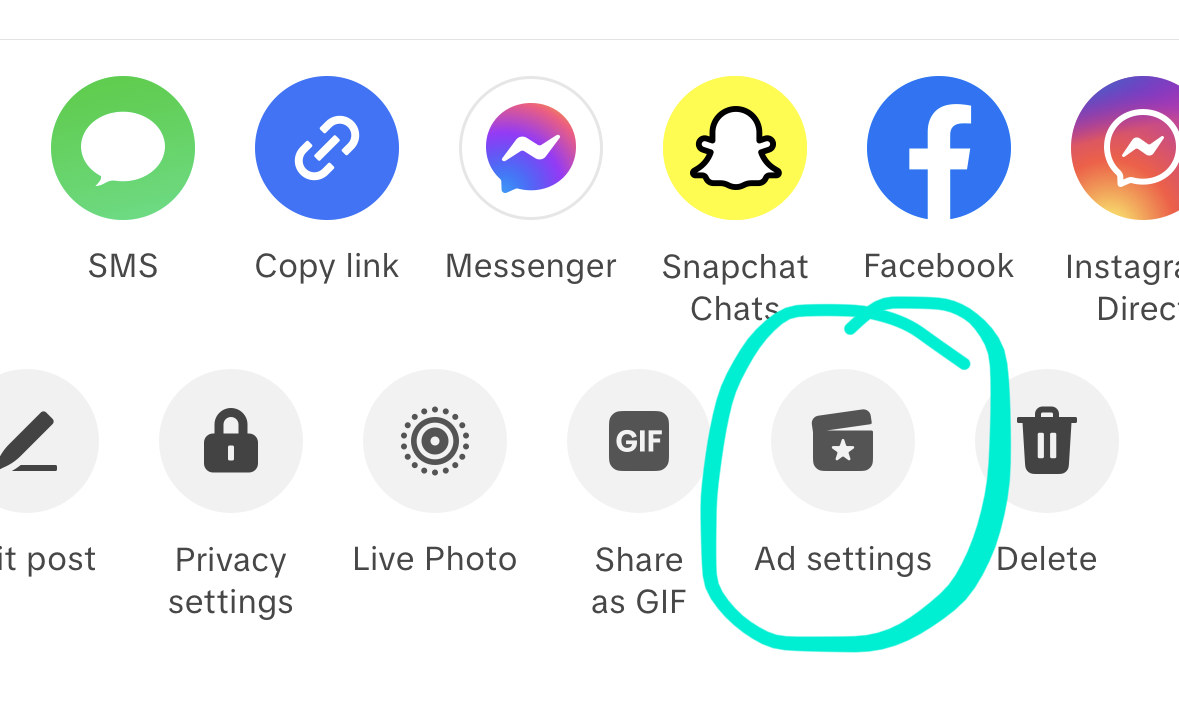
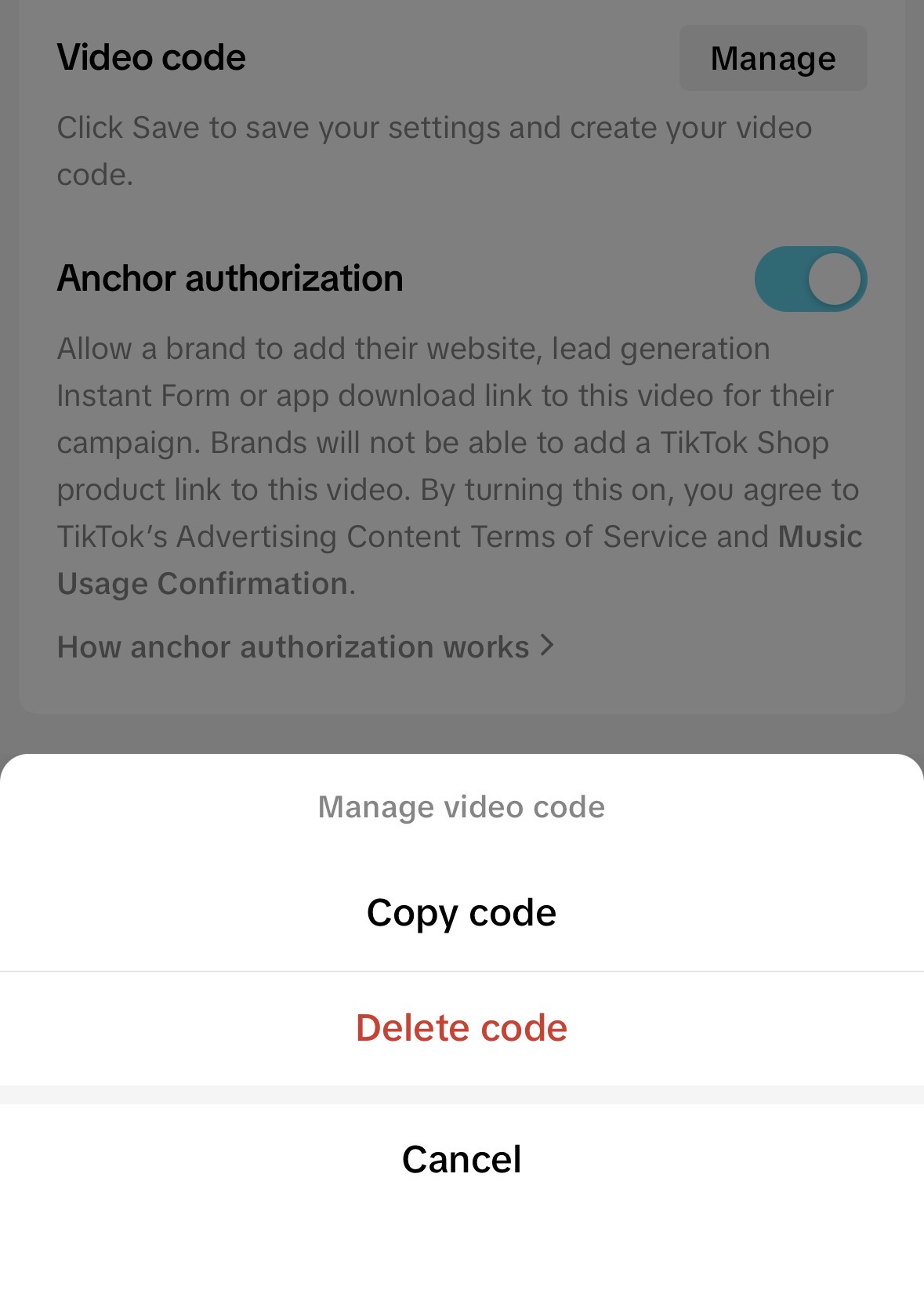
Turn on Ad authorization.
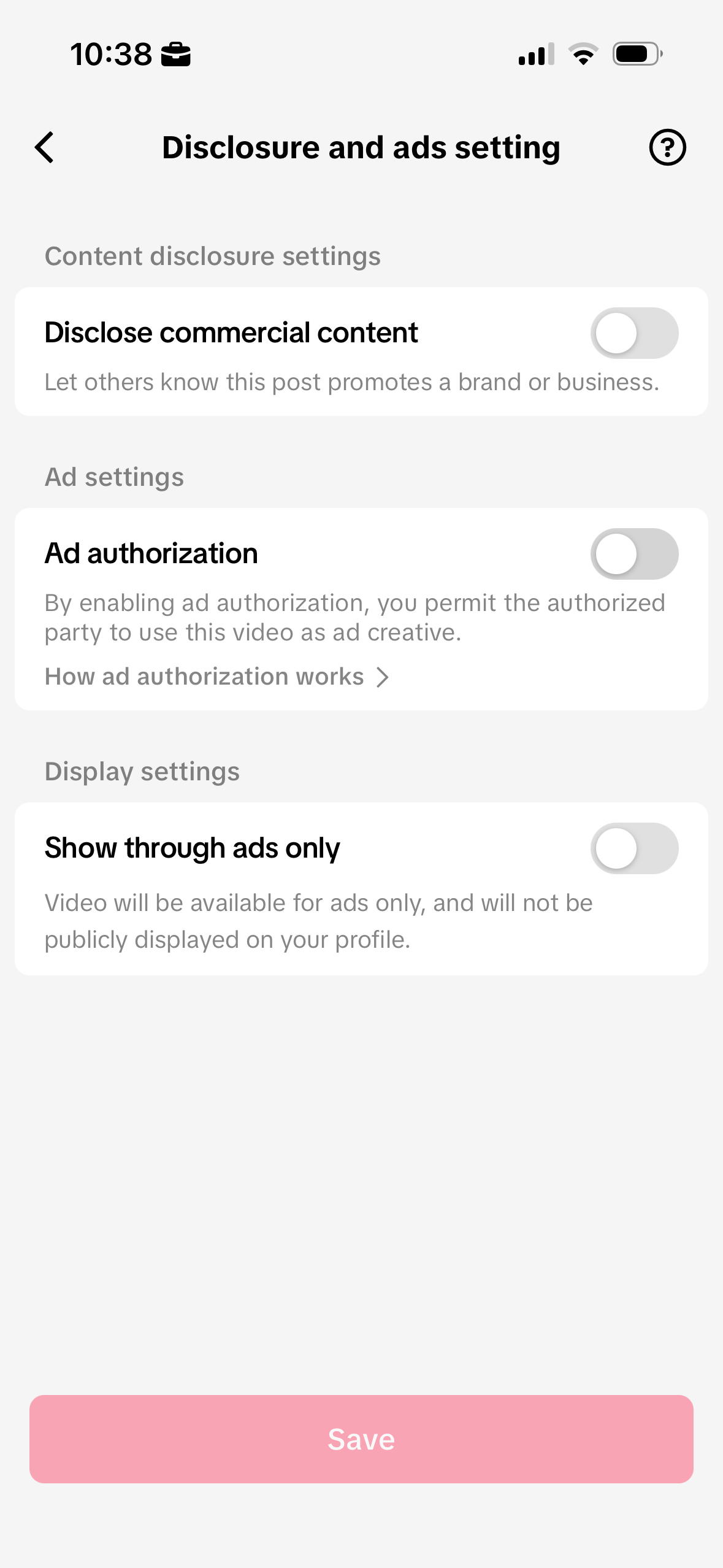
Tap Generate code.
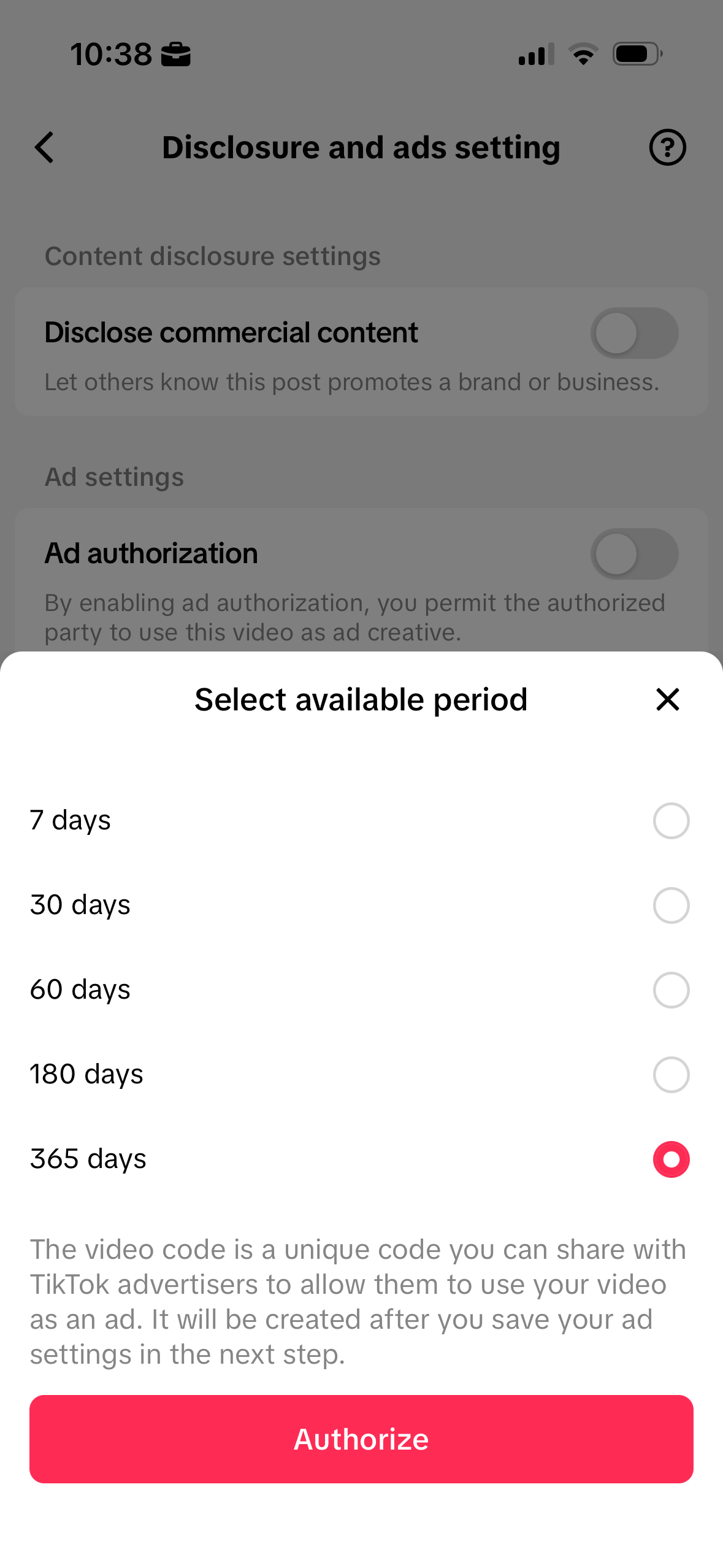
Choose how long you’d like to authorize it for (365 days).
Click on "manage" to copy your ad code.
📸 For Instagram Posts
If you’re posting on Instagram, you’ll create your partnership ad code from your post directly in the app.
⚙️ Make Sure You’re Eligible
Before generating your code, make sure your account is eligible to post branded content:
Tap the menu (☰) in the top right corner of your profile.
Scroll down → Tap Creator tools and controls.
Tap Branded content.
Make sure your Status says “Eligible.”
This ensures your account can successfully generate partnership ad codes for campaigns.
🔢 Generating Your Code on Instagram
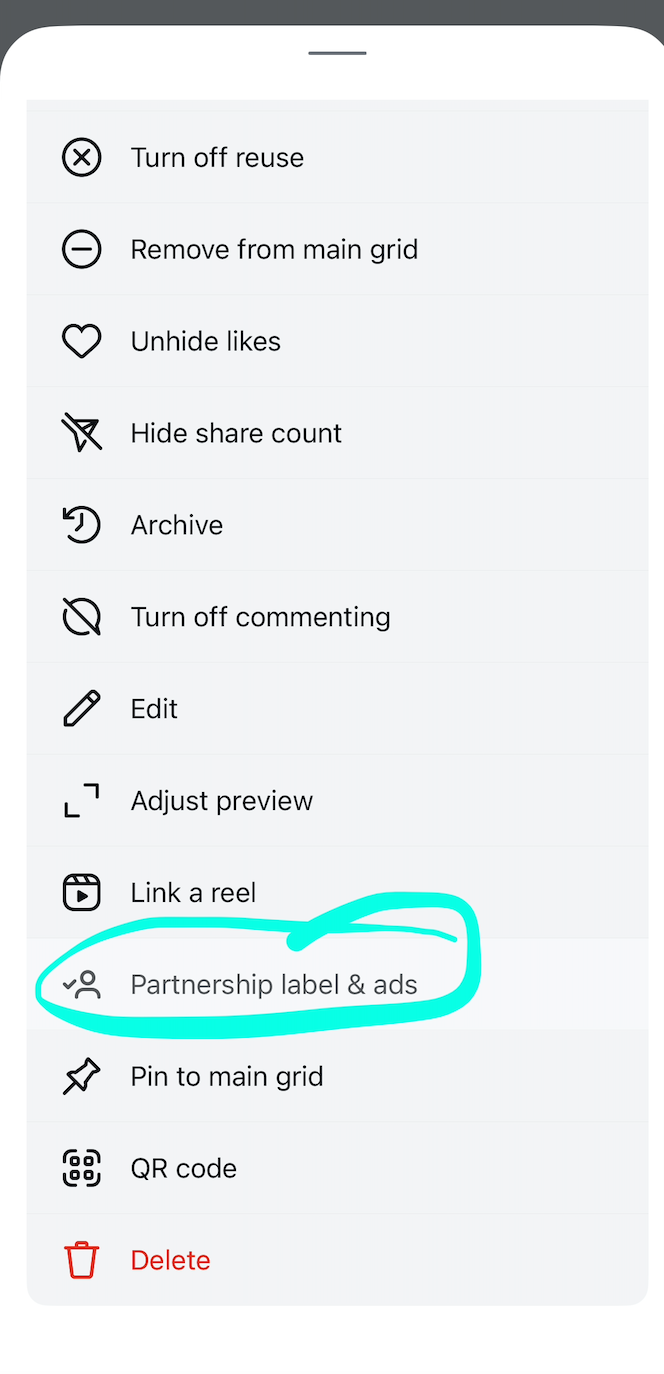
Tap the three dots in the top right corner of your post.
Tap Partnership label & ads.
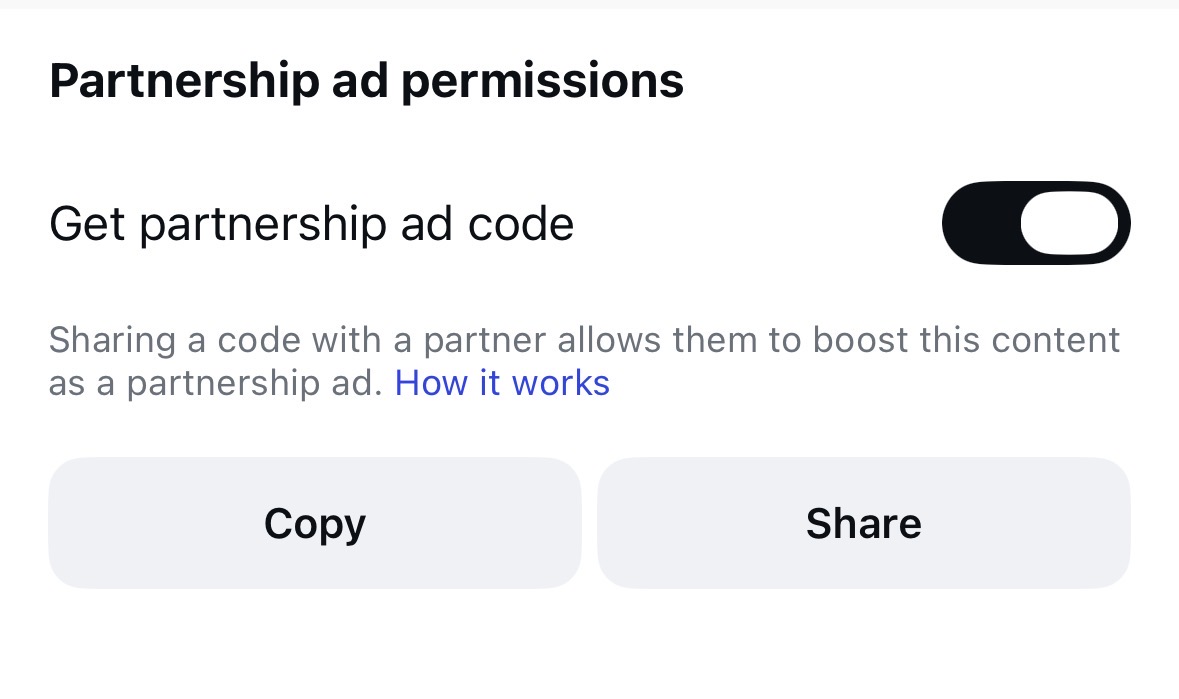
Turn on the Get partnership ad code toggle.
You can also review this Instagram Help Center article for more info on partnership ads and troubleshooting. 💙