
🎵 Audio & Music Requirements
Using the right audio ensures your content can be approved, promoted, and shared by brands without any copyright issues. 💙
All Statusphere content must use royalty-free (also known as commercial) audio from the platform’s library. Even if a song title says “copyright-free” or “royalty-free,” if it’s not from the platform’s approved commercial library, it can still be flagged as copyrighted — which means our system can’t accept it.
Copyrighted music also prevents brands from whitelisting or repurposing your content, which limits your post’s reach and exposure. For more information about this, check out our TikTok post. 🌟
You’ll need to use tracks from the Facebook Sound Collection to stay compliant with Instagram’s music rules.
How to use approved music:
Find a track you like in the Facebook Sound Collection.
Search for that song title on Instagram while editing your Reel.
Add the song to your video and post! 🎶
TikTok
TikTok’s Commercial Sounds library is where you’ll find approved music for your collabs.
💻 How to Use on Desktop
Search and find a track in the TikTok Audio Library that you want to use.
Search for the same song title on TikTok when editing your video.
Add the song to your video and post!
📱 How to Use on Mobile
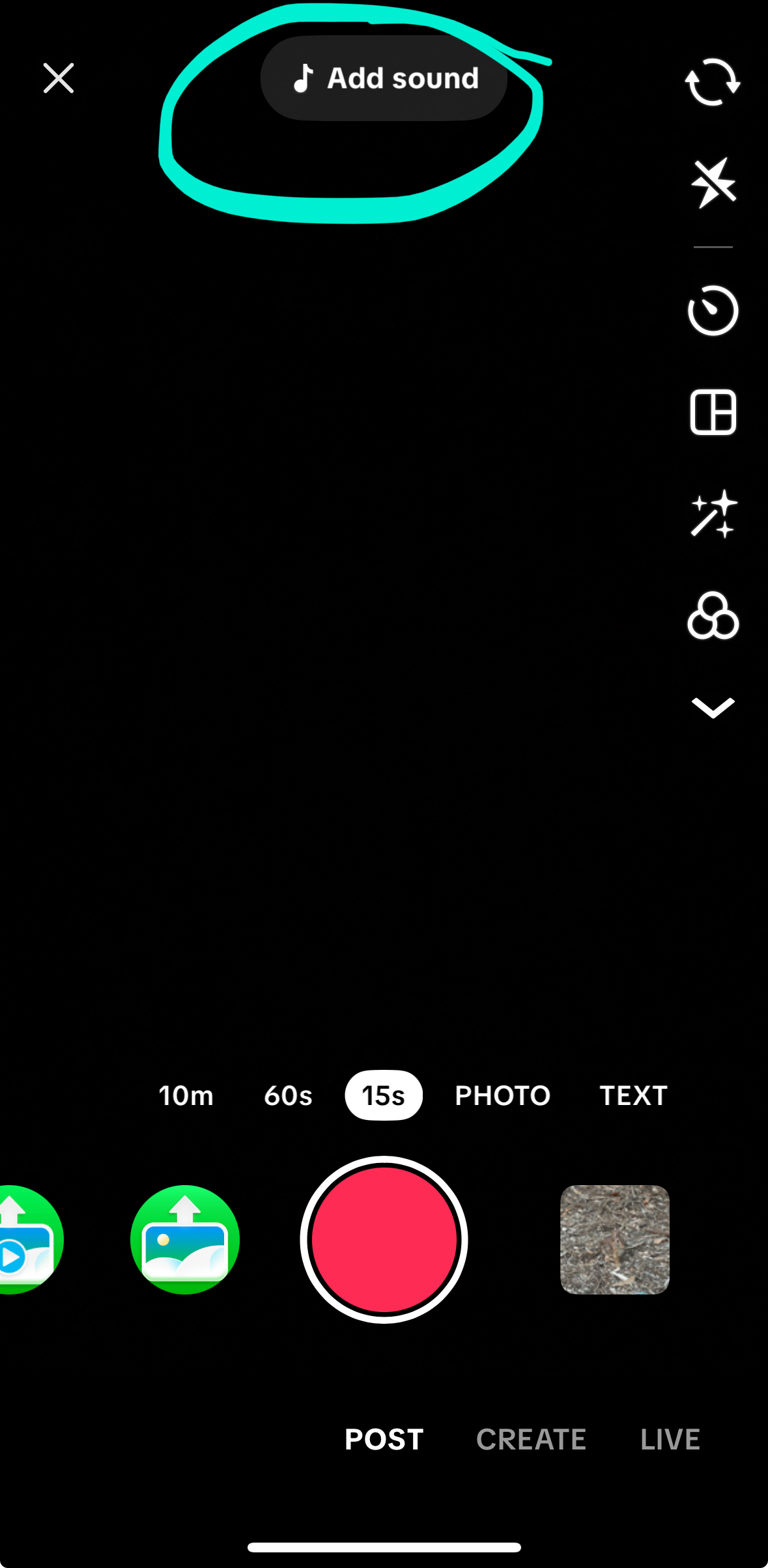
Tap “Add Sound” at the top while editing your video.
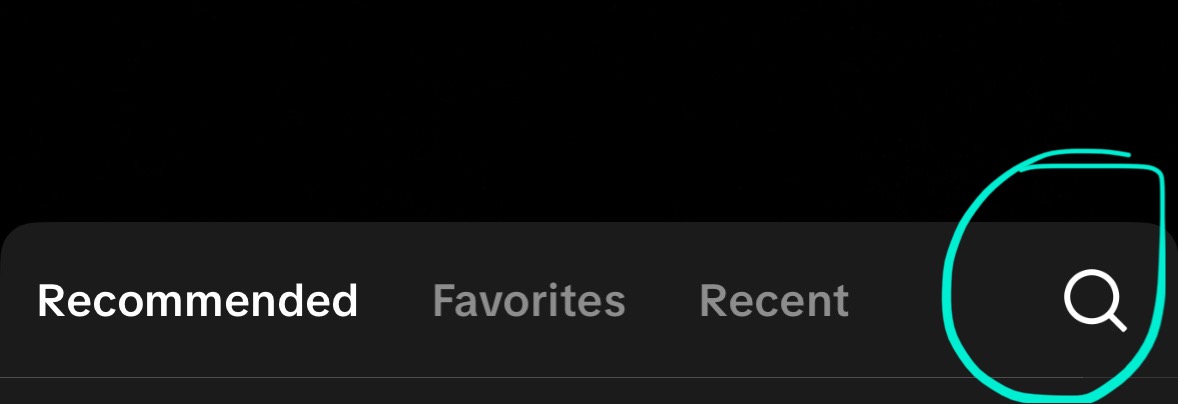
Click the search icon that pops up.
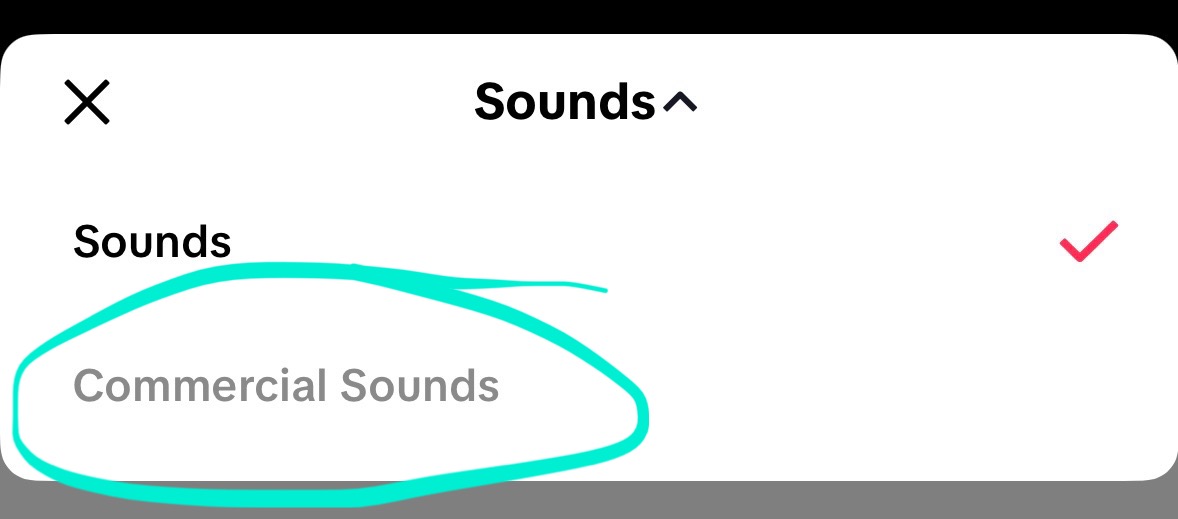
Tap “Sounds” at the top of the page, then select “Commercial Sounds” from the dropdown.
Add the song and post! 🎵