
🎥 Inverting Your Video
If your checklist says “DO use invert effect so labels are not backwards,” that means your video must show the product label facing forward so the brand’s logo and text can be read clearly. Check out our TikTok video for more info about why this is important! 👀✨
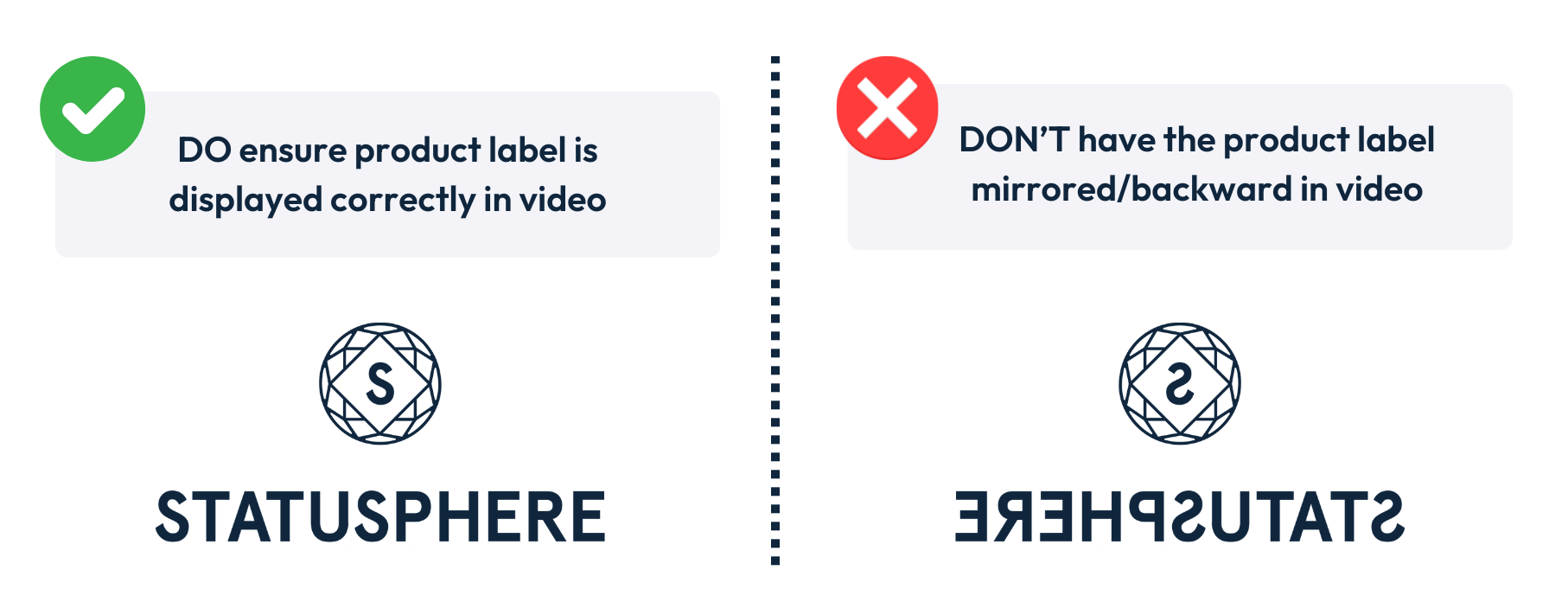
📱 Two Easy Ways to Invert
1. Use Your Back Camera
Filming in selfie mode is the main culprit for mirrored content. Instead, record with your back camera so the product label automatically faces the right way.
Tip: Use a mirror or preview screen to check framing before you hit record!
2. Flip When Editing
Already filmed in selfie mode? No problem! You can flip your video before posting:
In your camera roll, open the video and tap Edit → Crop → Flip icon 🔄
If filming directly in TikTok or Instagram, use an inverted filter to flip your clip while editing.
This quick edit makes sure your product labels read correctly and your content gets approved. 🙌