
📺 How to Turn On Paid Promotion for YouTube Shorts
Here’s how to turn on YouTube’s Paid promotion setting when you repost your collab content as a YouTube Short.
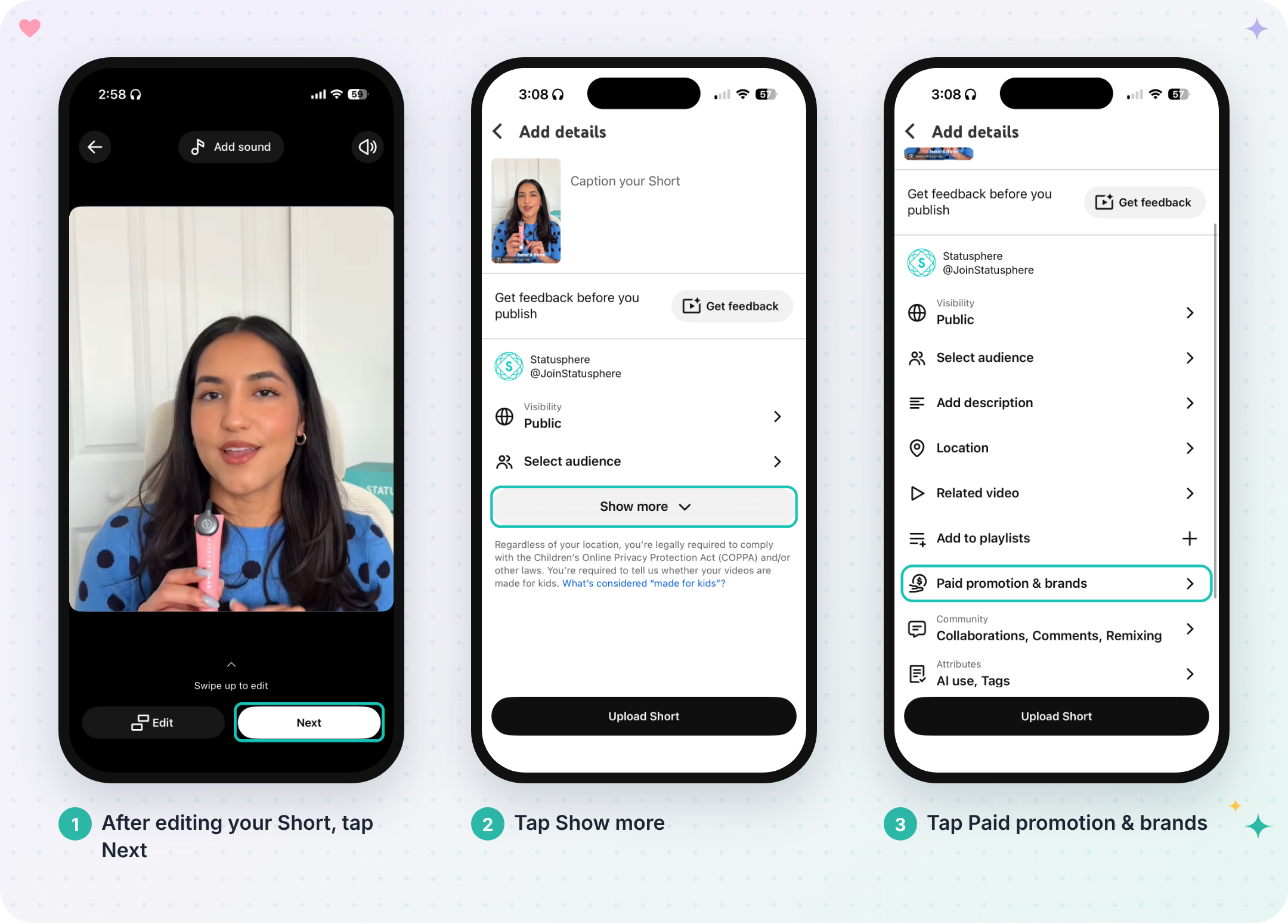
📱 Step 1: Open “Paid promotion & brands”
After editing your Short, tap Next.
On the Add details screen, tap Show more.
Tap Paid promotion & brands.
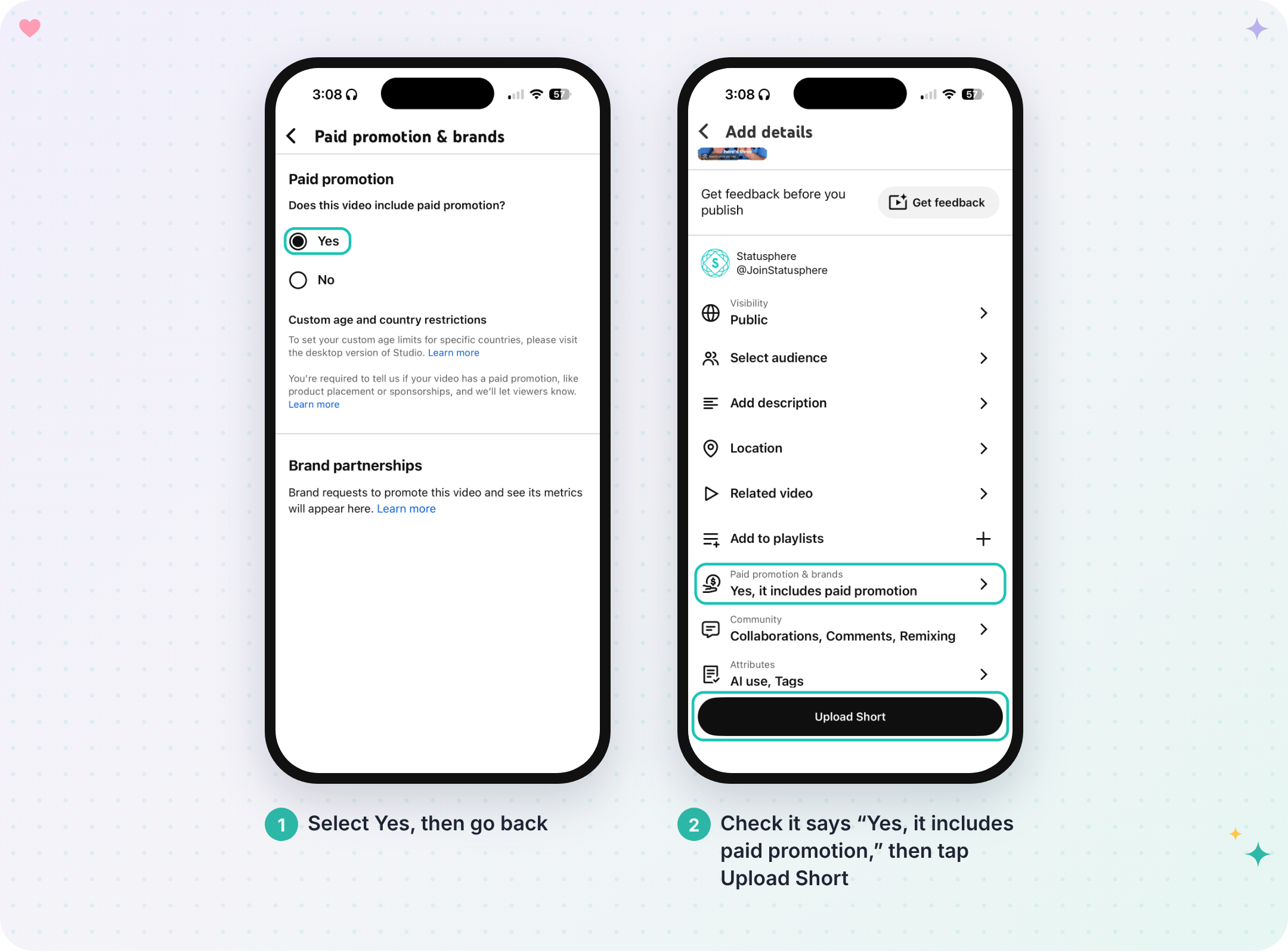
✅ Step 2: Select “Yes”
Under “Does this video include paid promotion?”, select Yes, then go back.
Check that Paid promotion & brands says “Yes, it includes paid promotion,” then tap Upload Short.
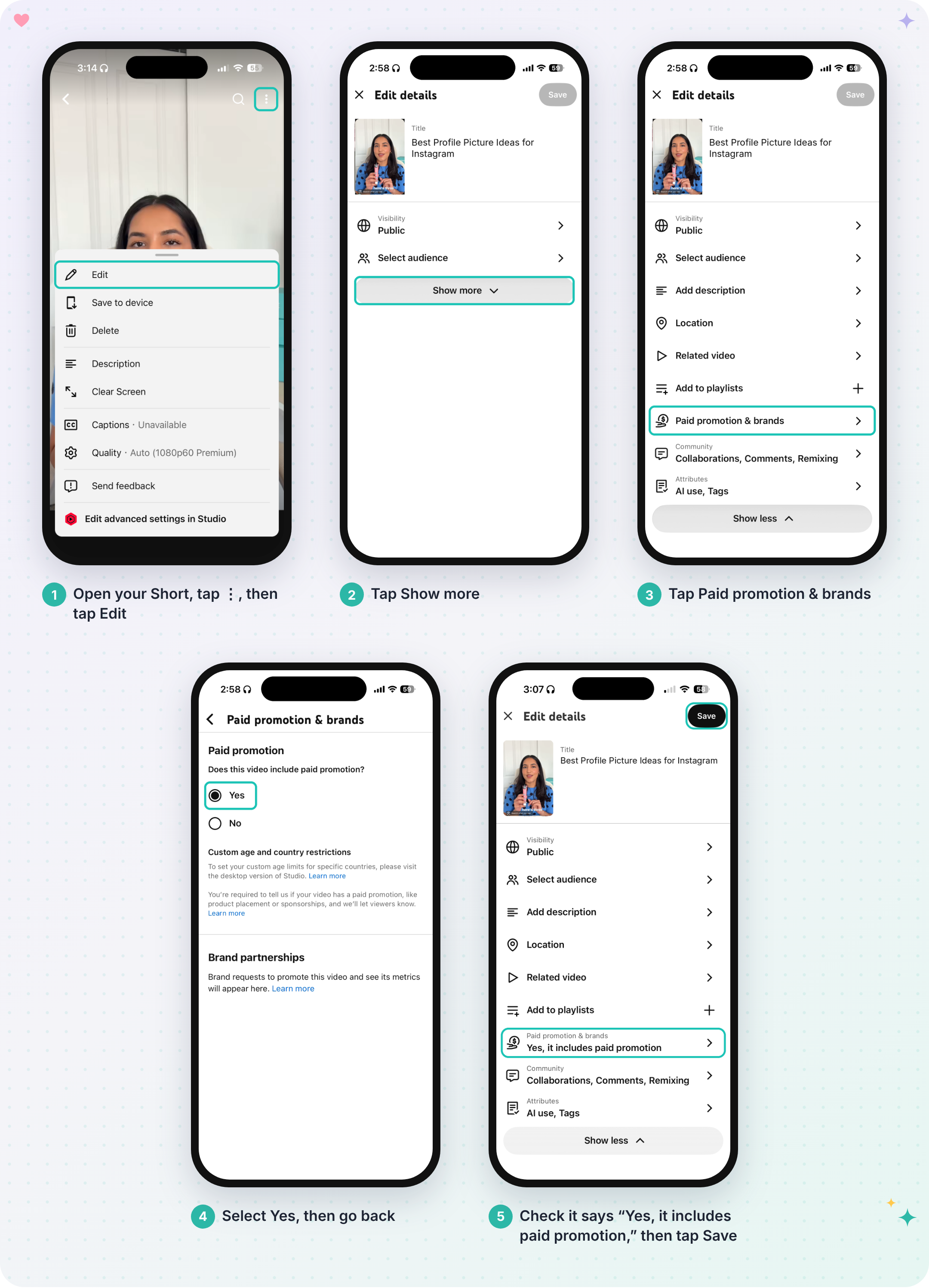
🔁 Forgot to Turn It On Before Posting?
No worries! You can still turn it on after your Short is live.
Open your Short, tap the three dots (⋮) in the top right, then tap Edit.
Tap Show more.
Find Paid promotion & brands and tap to open the settings.
Under Paid promotion, select Yes for “Does this video include paid promotion?”
Go back to Edit details, check that it says “Yes, it includes paid promotion,” and hit Save.
🧩 Why This Setting Matters
When you post content for a brand collab on YouTube Shorts, you must disclose that it’s a paid promotion. Brands require this for legal and advertising disclosure reasons, and it keeps your content transparent with your audience.
⚠️ Important
Shorts posted without this setting won’t be approved, and you may be asked to update or repost your content so it meets all of the collab requirements.
💬 If You’re Unsure
Reach out to our Creator Support Team at statussquad@joinstatus.com and we’ll help you out. 💙